Claude Code Config
This page explains how to add and enable the ccbug configuration for Claude Code in CC Switch.
Note
The request URL for Claude Code is different from Codex. Claude Code uses https://ccbug.cc, while Codex uses https://ccbug.cc/v1. Do not mix them.
Add A Claude Code Configuration
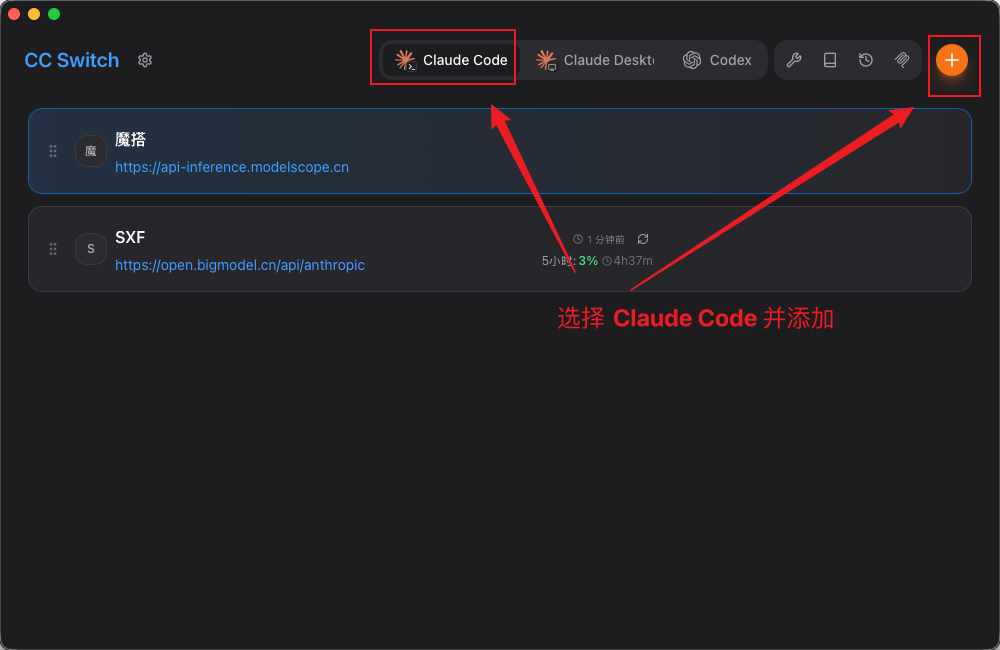
Open CC Switch, choose Claude Code, then click the plus button in the upper-right corner to add a configuration.
Fill In Claude Code Configuration
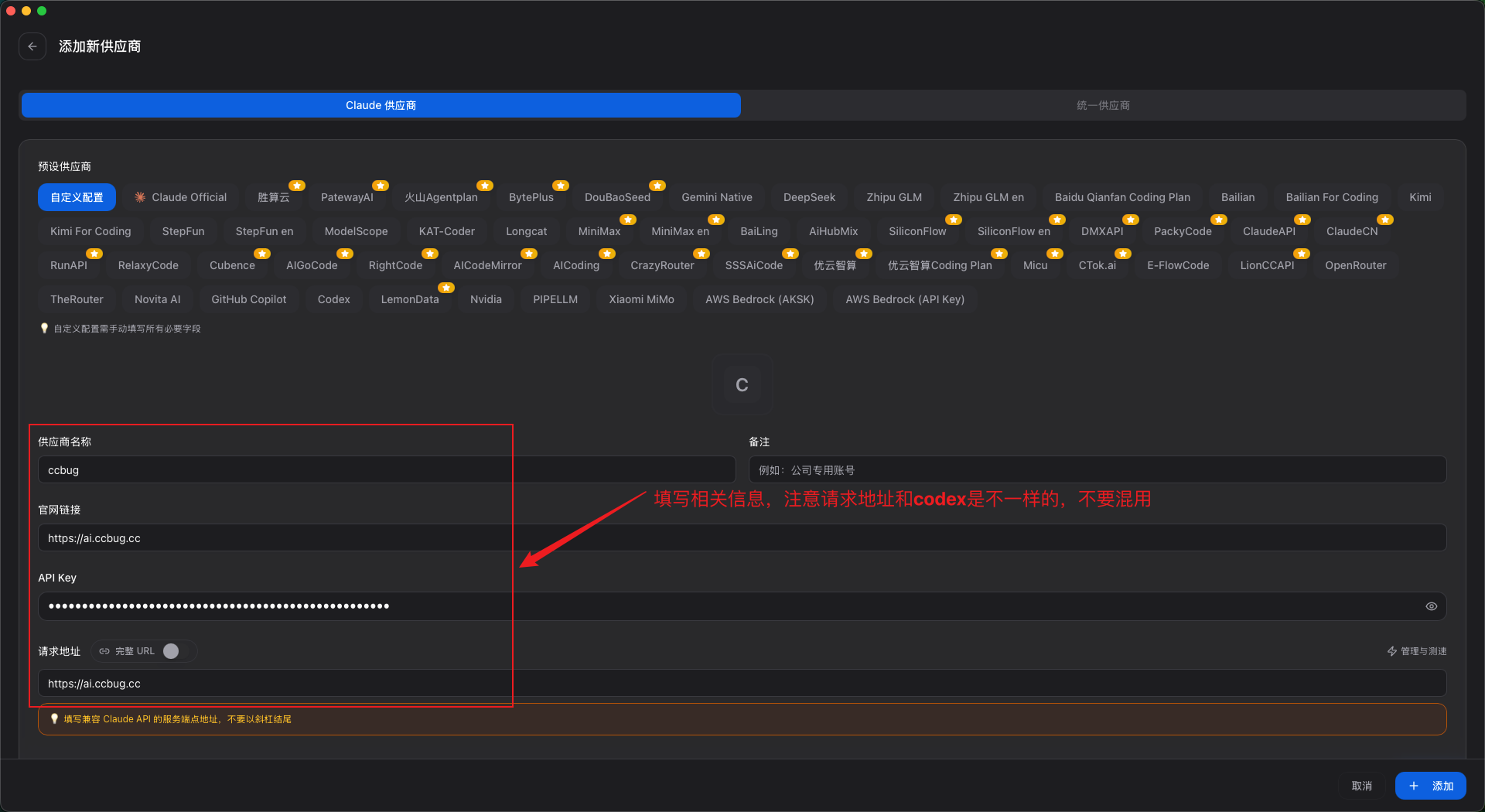
Use the following values:
| Field | Value |
|---|---|
| Provider name | ccbug |
| Official URL | https://ccbug.cc |
| API Key | The Claude Code group API Key you created, for example sk-xxxx |
| Request URL | https://ccbug.cc |
Configure Models
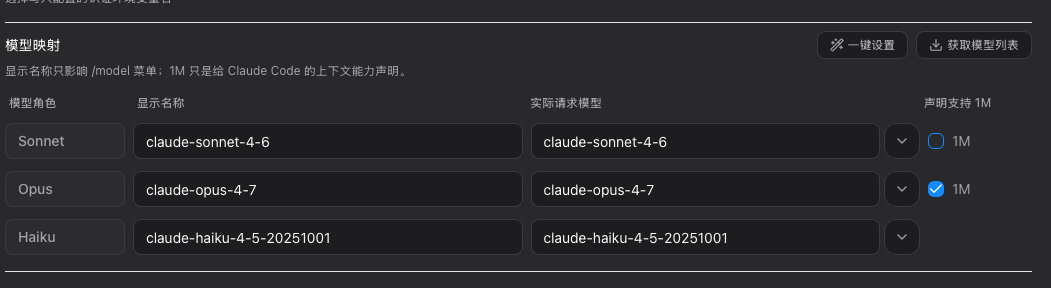
Click "Get model list", then select the model you want in the model mapping dropdown.
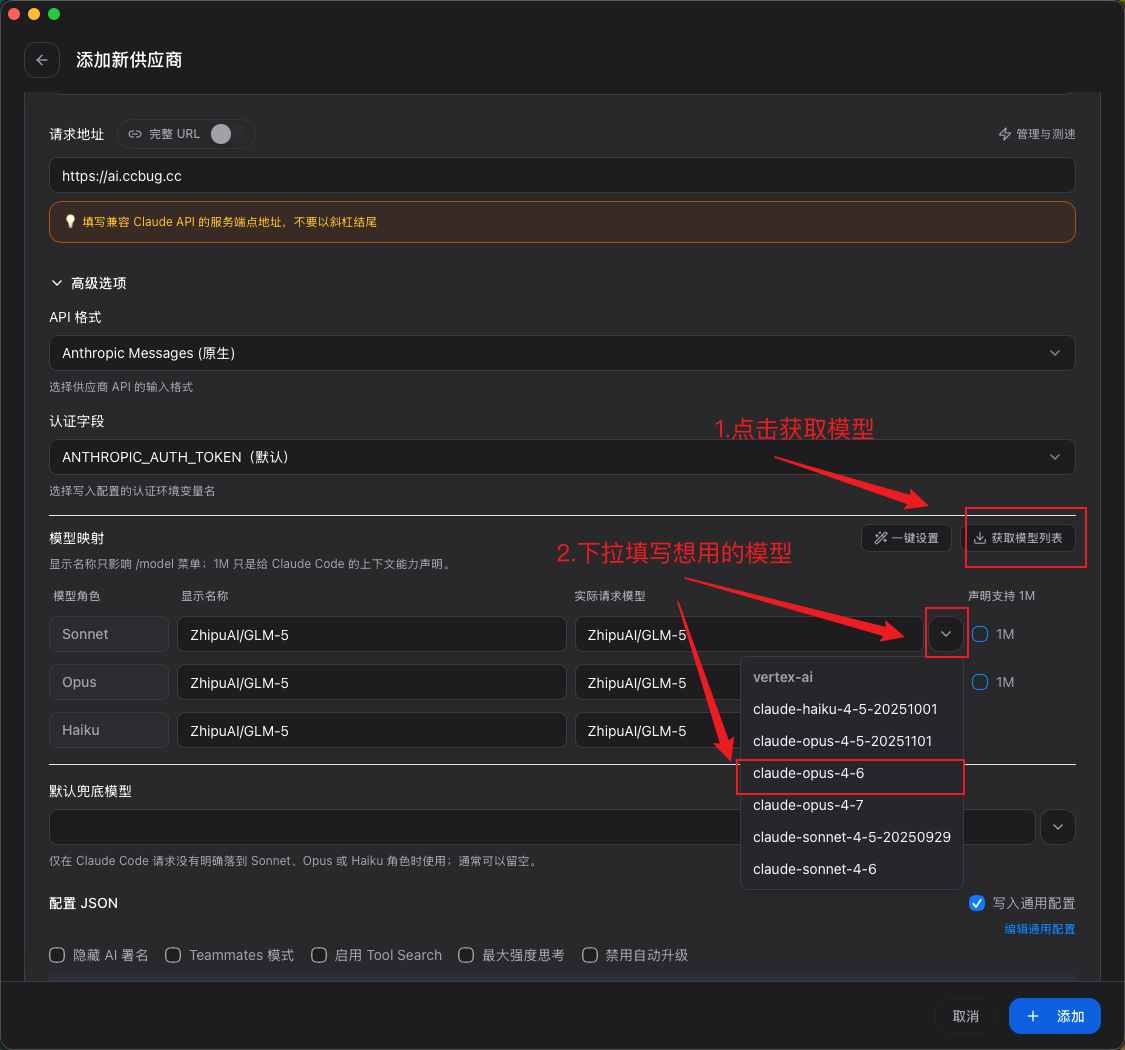
Reference configuration:
| Model role | Display name | Actual request model |
|---|---|---|
| Sonnet | claude-sonnet-4-6 | claude-sonnet-4-6 |
| Opus | claude-opus-4-7 | claude-opus-4-7 |
| Haiku | claude-haiku-4-5-20251001 | claude-haiku-4-5-20251001 |
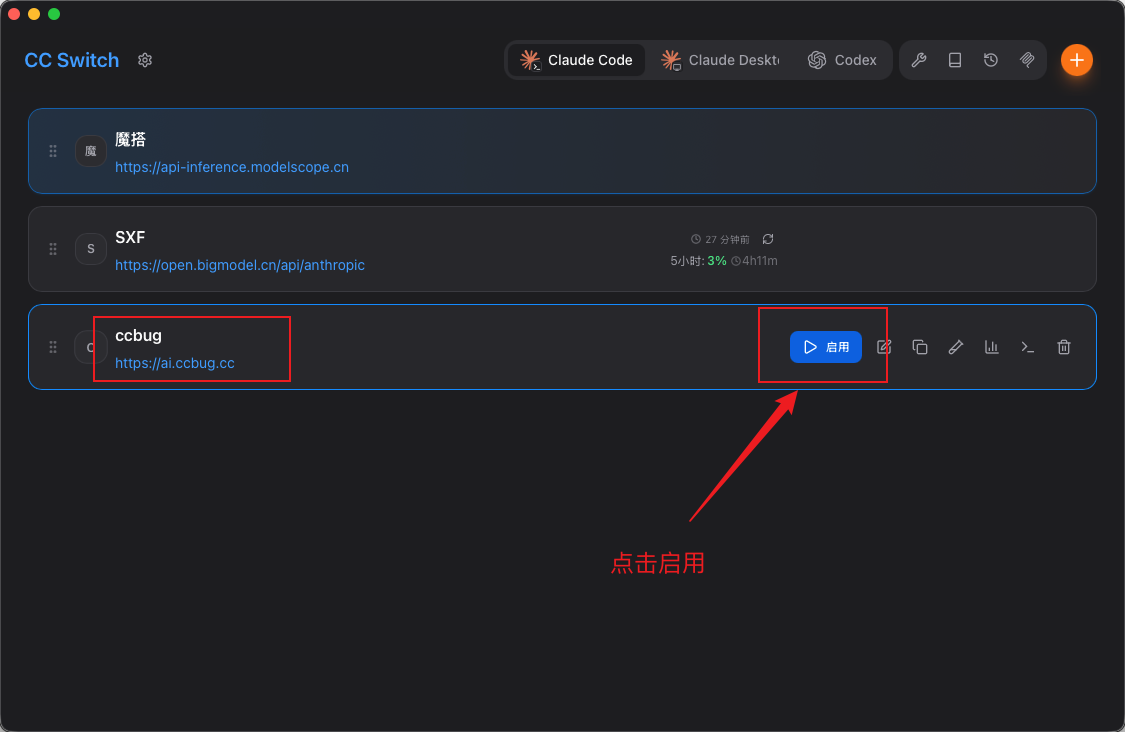
Enable The Claude Code Configuration
After saving, find ccbug in the Claude Code list in CC Switch and click "Enable".